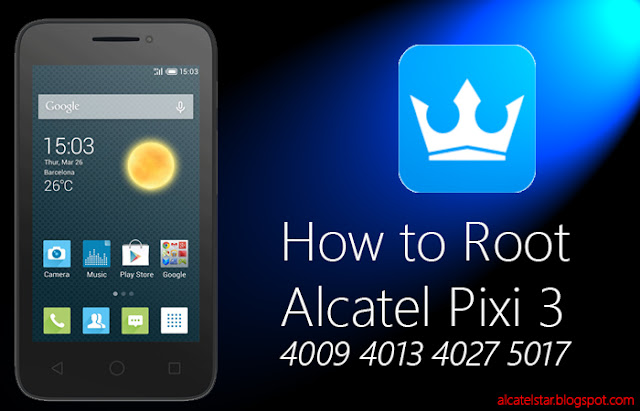
How to Root Alcatel One Touch Pixi 3 4009d 4013d 4027d 5017d

how to root alcatel pixi 3 4009 4013 4027 5017

In this tutorial I'll describe How to Root Alcatel Pixi 3 4009d Alcatel Pixi 3 4013d Alcatel Pixi 3 4027d Alcatel Pixi 3 5017d.No PC required you just need from internet connection for downloading Kingroot.Kingroot is app which will root your Alcatel Pixi 3 with just One Click Root for about 1min it's pretty amazing.You can root your Alcatel Pixi 3 which comes with Android Kitkat 4.4.2 at 100% guarantee of root success.


  1. First download app from this - LINK.
  2. Put into sdcard or internal card.
  3. Make sure you're checked unknown sources for installing non-market app.Options is located in SETTINGS then SECURITY scroll down to locate Unknown sources.
  4. Install Kingroot apk.
  5. Then open it and press try to root!
  6. Process takes up to 1min.
  7. Finally you'll see Root is succesfully!!!
  8. That's it!
  9. As you can read it's super simple just one click to root your Alcatel Pixi3.
  10. Enjoy of Rooted device.
 YOU CAN WATCH AND VIDEO TUTORIAL HOW IT WORKS :)


How fully Unroot Alcatel device or any other Android device

unroot android with super su alcatel
 
In this Tutorial you'll learn How to Unroot your Alcatel device or any other Android device with SuperSU app without PC needed just with one click.SuperSU will fully Unroot your device and you don't worry about warranty if you're needed to return to service for repair just like factory state.
SuperSU is root management tool which is most popular app around Android users.


  1. First if you're Rooted your device with Framaroot One Click Root App you need from SuperSU app download from market - here or if you're already using SuperSU.
  2. Open SuperSU and go to setting.
  3. Scroll down to option Full Unroot - cleanup for permanent unroot.
  4. Press this and confirm unrooting!
  5. Wait some time untill app says you're device is unrooted succesfully and reboot device.
  6. Finally you can check with Root checker or other app for sure if you're unrooted.
  note: this method doesn't work if you're rooted with Kingroot app.

Here's the Video tutorial How to Unroot your Android Alcatel device or other Android!

Kingroot Root Alcatel Idol mini and various Alcatel devices and even most Mediatek Android devices


kingroot root alcatel idol mini oneclick root android

In this tutorial you'will learn How to Root your Alcatel Idol mini or any other Alcatel One Touch Android device even too most Android devices with another processor Mediatek, Qualcomm, Exynos etc.
It is almost a 100% guarantee One Click Root App which will root your device without PC, USB or another device needed it's Kingroot app One Click Root.
Kingroot has ability to root your device with single click root app.

Disclaimer:We or no one can responsible for any damange on your device.It's your risk!

How to root with Kingroot One Click Root App:
  1. First download Kingroot apk from - here.
  2. Then transfer to your device with USB or Wifi app or directly download into your device with Android browser.
  3. Make sure your're checked unknown sources option in settings->security.
  4. Then install Kingroot into your device.
  5. Finally try to Root! 
  6. Enjoy of Root privileges :)
  Here's the Video tutorial How you can Root with Kingroot app!


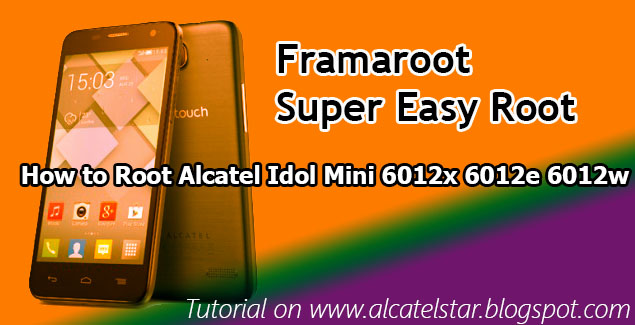
How to Root Alcatel Idol mini 6012x 6012e 6012w with Framaroot

 how to root alcatel idol mini framaroot mediatek

Are you tried to Root Alcatel Idol mini without success here's the guide How to Root Alcatel Idol mini.This's oneclick root app which works on 90% Alcatel Idol mini models.It's super simple just follow steps below no PC or USB required:
  1. Download Framaroot from link - here
  2. Transfer with USB or Wifi transfer Framaroot apk
  3. Put into your SD card or Internal memory
  4. Check unknown sources from settings - > security
  5. Install Framaroot on your device
  6. And press options inside until you see Success you've root!!!
CHECK OUT AND VIDEO TUTORIAL


Frequently Asked Questions (FAQs) on YU Yureka Plus


FAQs : Frequently Asked Questions about YU Yureka Plus

FAQs on Yureka Plus
FAQs on Yureka Plus

Update: Yureka Plus relaunched with Pure Android 

Buy YU Yureka Plus Pure Android on Amazon

This page contains FAQs on the upcoming YU Yureka Plus. The FAQs have been based on the questions we have been asked on our Facebook Page. If the answer you're looking for is not available here, please leave a comment here or on our FB Page or email us at info@yurekasupport.com.


Also read : YU Yureka Plus Specifications

Buy Yureka Plus: Go to Yureka Plus Sales Page

Roadmap : availability | specifications | hardware | camera | after sales support

Important Question : What's the price of Yureka Plus?

Answer : The price of Yureka Plus is ₹8,999 only.


a) availability related

1. When and where can I get the Yureka Plus Phone?

Ans : Yureka Plus is available exclusively on Amazon India website on a pre-registration basis. It is on sale every Wednesday at 12 PM.

2. Where can I register for the sale?

Ans : You can register here: Yureka Plus Registration Page.


3. I missed the registration process, can I participate in the sale?

Ans : No. Sorry. Sale is registration based you can wait for the next sale date of which will be announced later.

4. How many units are available per sale?

Ans : Number of units for the sale ranges from 10,000 units to 30,000 units per week.

5. How long would it take the phone to be delivered?

Ans : It depends on your geographic location. On an average Amazon takes 1-7 working days to deliver products across the country.

6. How do I return a defective product?

Ans : Any YU devices purchased from Amazon.in comes with a 14 days (no questions asked) return 
policy. You can return your product within 14 days of date of delivery for a full credit of the amount you paid.


7. What are the modes of payment? Or, Is COD (cash on delivery) available on Yureka Plus?

Ans : Yes, as mode of payment is based on Amazon India's policy which includes COD. Other payment options include credit card, debit card, Amazon Gift Cards etc.

8. Is EMI option available on Yureka Plus?

Ans : Yes EMI is available as per Amazon India's EMI Policy.
Read EMI Policy here : Amazon India EMI Policy.


c) specifications related

Complete specifications : YU Yureka Plus Specifications


d) hardware related

1. What is screen size and pixel density?

Ans : Screen size is 5.5" Full HD (1920x1080) display.
          Pixel density is 401 ppi.

2. Does it have protection glass?

Ans : Yes, it comes with Corning Gorilla Glass 3 with oleophobic coating.

3. Tell me about the processor.

Ans :  Qualcomm® SnapdragonTM 615 (MSM8939) processor with 1.5 GHz octa-core CPU, Adreno 405 GPU

4. Tell me about RAM and how much RAM is available after first boot?

Ans : It has DDR3 2GB RAM.
         After the boot approx 1.2 GB is available.

5. How much is the internal storage? How much is available for use?

Ans : ROM or internal storage is 16 GB. 12.5 GB is available for apps and mass storage.

6. Does it supports external SD cards? Can I move my apps to SD cards?

Ans : Yes, it supports up to 32 GB external SD Card.
          Yes, move to SD card option is available.

7. How many sensors does it have?

Ans : Four.
         G-sensor/Proximity/ Light Sensor/Gyroscope.

8. Does it support USB OTG?

Ans : Yes. It does.

9. What type of SIM Card does it supports?

Ans : It supports micro-SIM in both the slots.

10. Will it support 2G sim?

Ans : Yes. In one slot it will support 4G, 3G or 2G SIM in another it will support 3G or 2G SIM.

11. Does it have notification LED?

Ans : Yes. It Does.

12. Tell us about the battery. Is it removable?

Ans : It has 2,500 mAh removable battery.

13. What's the weight of the Yureka Plus?

Ans : Approx 155g.


e) camera related

1. Tell us about the camera in Yureka Plus.

Ans : 13MP Auto Focus Rear and 5MP Fixed Focus Front Cam. 

2. Does it support HD recording?

Ans : Yes, 1080p ( 30 fps ) and 720p ( 60 fps ).

3. Does it supports slow motion recoding?

Ans : Yes.

4. What are different photography modes available?

Ans : Panorama, HDR, Landscape, Night Mode, Burst Mode, Slo-Mo and many more.

5. What are different filters available?

Ans : Auto, Sketch, Neon, Night mode, Negative, Mono, etc.
         The camera interface allows to you to switch between filters with one swipe.

f) after sales support related


1. What is the warranty on my product?

Ans : Your device comes with a 1 Year manufacturer warranty. Accessories shipped with the product comes with 6 months warranty. Read : YU Warranty Services and YU Warranty Statement.

2. Where would I go to repair my phone? Where is Yureka service center?

Ans : Nowhere, the repair person will come to you all you have to do is call the customer care.
Read More : Replace or Repair Yureka | Yureka Service Center Details

3. How do I contact customer care? 

Ans : YU Support : 1-8602-122-122. or you can write to support@yuplaygod.com.
Amazon India : 1-800-419-7355 or 1-800-3000-9009.


4. Will rooting the phone or unlocking the boot loader void my warranty?

Ans : NO. YU wants to encourage the developer community to work with them and create an ecosystem which thrives on consumer engagement. Thus, the warranty will remain intact even if the phone is rooted.


Buy YU Yureka Plus Pure Android on Amazon

Did not find what you were looking for ask us on our FB page or email us at info@yurekasupport.com.


Follow us for more:


YU Power Bank (10,000 mAh and 5,000 mAh) to be launched soon


YU Brand Power Bank listed on import website, to be launched soon?


In short span of  10  months newly found subsidiary of Micromax, YU Televentures has made quite a name for itself and rightly so given that young start up has already launched three different smartphones Yureka, Yuphoria and Yureka Plus with combined sale of more than 1 million (10 Lakh) so far as well as a range of complimentary accessories like YUFit, HealthYU.

The success of it's first device Yureka prompted YU to launch new devices Yuphoria and then an upgraded Yureka Plus. So it only seems logical for YU to pick one of the most sought out gadget these days - power banks or battery reserves. According to a listing on Zauba two different types of Power Bank has been imported on 19th Aug, 2015 with YU branding indicating that the company intends to launch a power bank on the lines of companies like Xiaomi, Huawei, Asus etc.

YU Power Bank Listiing
YU Power Bank Listing on Zauba


Now there has been no official announcement from YU if and when the YU power banks will be available or what will be the price of the same. But one can only wonder given the company's history of competitive pricing, the YU power bank will be priced at an affordable range. The import data also gives an indication to the price with 10,000 mAh imported at ₹650 and 5,000 mAh at ₹440. The low price for YU Power Banks seems like a safe bet. We need to wait for the official word regarding the pricing.

Affordable Power Banks in India

Right now we have ultra-affordable high capacity power banks from Chinese brands like
16000 mAh, 10000 mAh and 5000 mAh from Xiaomi for ₹1,399, ₹999 and ₹699 respectively,

13000 mAh power bank from Honor Huawei for ₹1399,

10500 mAh from Asus for ₹1,599, 

10000 mAh from OnePlus at ₹1,399 and

wide range of power bank from Ambrane India.


However biggest plus point of power banks from brands like Xiaomi is it's quality with batteries from Samsung and LG and rigorous testing it stand out on its own. So YU needs to make sure that along with  pricing it also has quality. We can only comment on the same after the official announcement of the specs.

A total 10,000, 5,000 each of 10,000 mAh and 5,000 mAh has been imported as listed on the import website with branding YUAPB1000 and YUAPB0500. Let's hope for a immediate launch of the same.

source: zauba
YU Yureka Plus - Full Specifications and Price


YU Yureka Plus Specifications


YU Yureka Specifications
YU Yureka Plus


 Operating System
Cyanogen OS 12/Android Lollipop 5.0.2
System Architecture/Processor
Qualcomm® SnapdragonTM 615 (MSM8939) processor
with 1.5 GHz octa-core CPU, Adreno 405 GPU
Storage
16 GB, removable storage supports
up to 32 GB microSD card (sold separately)
Dimensions
Height: 154.8 x 78 x 6-8.5 mm
Weight
155g (5.47 ounces)
Display
13.97cm(5.5), 1080p FHD (1920 x 1080), 401 ppi,
Corning® Gorilla(TM) Glass 3, Oleophobic Coating
Battery
2500 mAh upto 210h stand-by and 8h talktime
Networks and Bands
LTE (B40 2300 MHz, B3 1800 MHz)
UMTS/HSPA+ (900, 2100 MHz)
GSM/GPRS/EDGE (900, 1800, 1900 MHz)
Rear Camera
13 MP, flash, Auto focus, 3120x4208
Front Camera
5MP, Fixed focus, 1944x2592
SIM Card
Dual Sim (Micro SIM)
Connectivity
Micro USB, 3.5mm headset jack
Bluetooth® Technology
Bluetooth version 4.0 LE
Wi-Fi
802.11 b/g/n (2.4 GHz)
Speaker
Earpiece, loudspeaker, Active noise cancellation with dedicated mic
Video Capture
1080p HD video, 30 fps
Sensors
Accelerometer, Proximity, Gyro, Light
Base color
Moonstone Grey, Alabaster White

*All the specifications are taken from YU Website. We can not guarantee that the information on this page is 100% correct.


Yureka Plus is available at a price of 
₹8,999 with pure Android on Amazon India.