After reinventing the thermostat and smoke detector, Nest launches a high-tech CCTV camera Nest Labs, the home automation company bought by Google for £2 billion last year, has launched its first new product since the acquisition – a home security camera.
The Nest Cam is an updated version of the Dropcam, a product Google and Nest also bought out together last year. However, this is more than a simple re-branding. The new Nest Cam can shoot full HD 1080p, has improved night vision and has an added microphone so you can communicate through the camera. It is also now much slimmer,with flexible zinc-alloy stand so you can angle it and a magnetic base so it can be securely attached to metal surfaces. The main selling point for the DropCam is still here though: the Nest Cam provides a constant stream of video to your phone through a companion app. You can also set Activity Zones within the camera’s 130-degree fi eld of vision, so the device will alert your phone if anyone has entered a particular area. To prevent false alarms, Nest Cam uses intelligent motion sensors that can tell the difference between a falling leaf and a person. However, while the camera can identify people, Nest drew the line at being able to recognise individuals.“We didn’t want to use facial recognition because we felt it was unnecessary and a bit intrusive. I wouldn’t want to have to go up to my cleaner and ask to take her photo so I can see when she is in the room,” said Billy Burnett, Nest’s European communications manager. The Nest Cam on its own costs £159/$200 on its own, but has been released alongside a new subscription service called Nest Aware. For £8/$10 or £24/$30 per month, video for the past 10 or 30 days will saved to your Nest Aware account so you can review the day’s happenings at your leisure, rather than have to just watch a live stream in real-time on your phone or computer. Each video will include markers highlighting when the camera detected some kind of interesting movement. This means you won’t have to scroll through an entire day to see if anyone had entered a room, instead clicking on a marker will allow you to jump to moments of high activity. However, while a Nest Cam gives you the power of all-seeing surveillance, following the recent scandal involving Samsung TVs that listen to what you’re saying and the furor over the Xbox One Kinect in 2013, you might have fears about who else is looking through your Nest Cam. “We’ve taken security very seriously,” said Billy Burnett. “The device itself is encrypted and that is something that can’t be externally hacked.“The device will alert your phone if anyone has entered a particular area"“Everything has 2048-bit SSL encryption, which is a very high standard. Also, every individual session is individually encrypted, so even if someone were able to hack into your account, they wouldn’t have access to all the footage. Google has one of the best security records going and Dropcam is excellent too.” He also stressed that none of the manufacturers would be able to spy on you. Inviting something into your home to record is very personal so we’re trying to give customers total confidence in their privacy. No one from Nest, Google or Dropcam can see any of your footage,” said Burnett. As well as launch the Nest Cam, the company also announced the second generation of its carbon monoxide detector, the Nest Protect, and upgrades to its best-known product, the Nest Learning Thermostat. “At Nest, we always wanted to build more than a thermostat,” said Tony Fadell, Nest chief executive officer. “Our vision was to create a thoughtful home – a home that takes care of itself and the people in it. Five years later, all the pieces are in place. “More than 9,000 developer partners are using the Works with Nest developer program to help seamlessly integrate everything from washers and dryers to cars with our thermostat, smoke alarm and camera,” he added. The new Nest Protect can detect smoke even faster with its split-spectrum sensor. While the original only had one photoelectric sensor, the new model has two, so it can tell the difference between fast and slow burning fires. It can also distinguish between smoke and steam to prevent false alarms. Should the siren go off necessarily, you can also now silence it from your phone. The Nest Learning Thermostat will now alert you if your home’s temperature should suddenly rise very high or plunge very low. The Thermostat will also now work with the Nest Protect to shut down the boiler if the smoke detector senses a leaks. The Thermostat will even be able to shut down fans, to prevent them from fuelling flames or circulating smoke through your home.
Nest Cam watches over your smart home
Organise your playlists with Phonograph
Enjoy the fresh look and feel of this Material Design music player app.
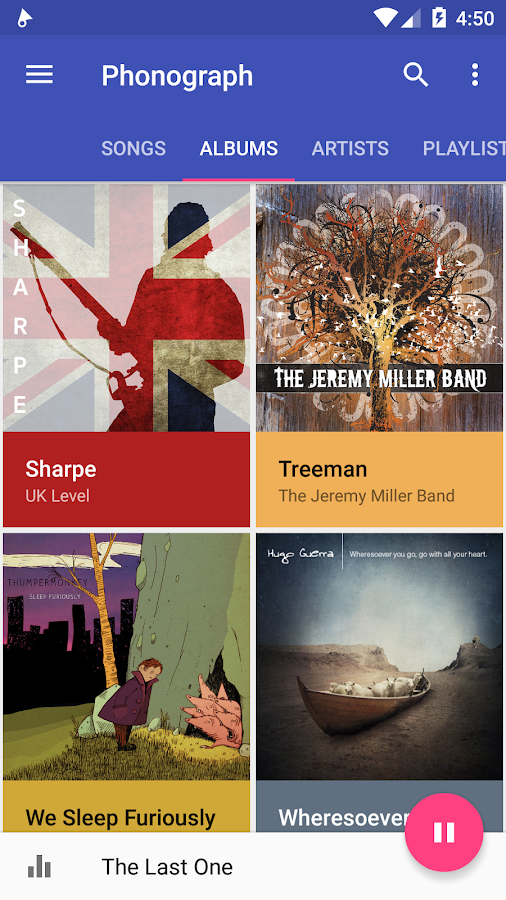
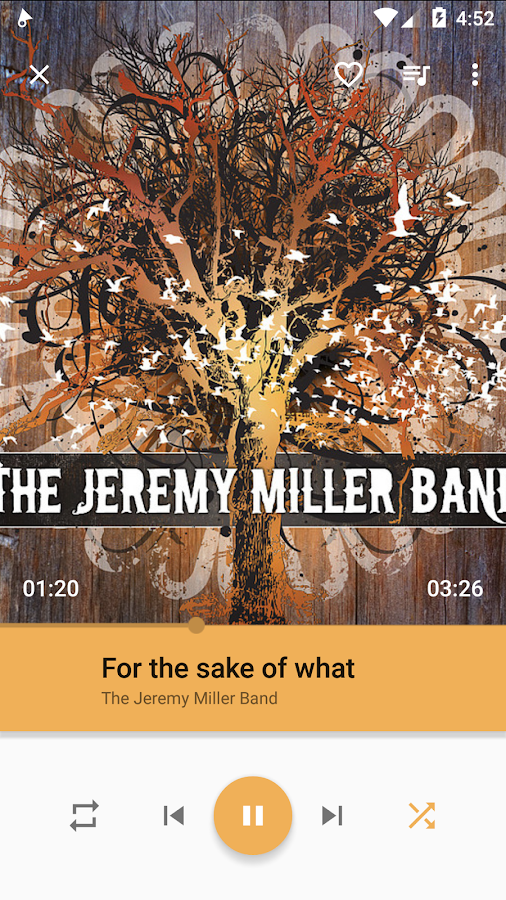
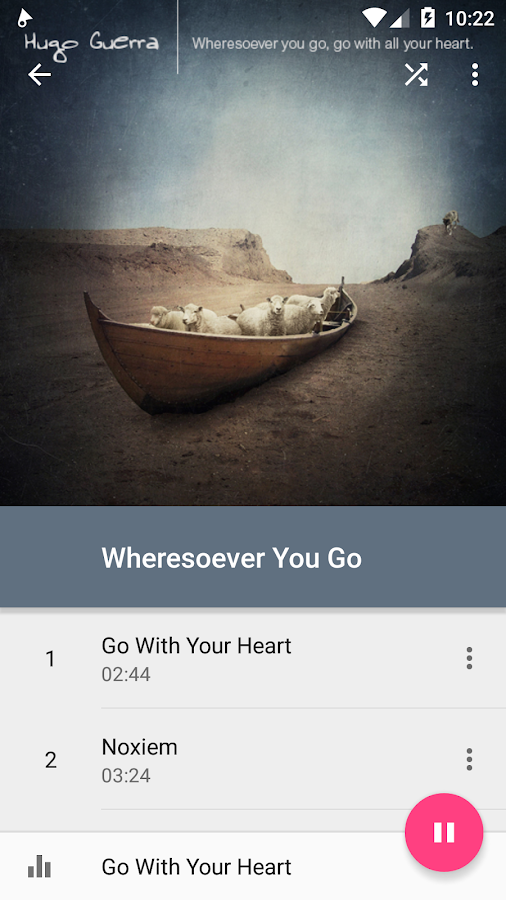
Mobile music players can be tricky apps to negotiate. It is easy to get lost in a sea of album covers, playlists and artists. If you find this, then Phonograph Music Player might be the one for you. At time of writing it is still in its beta phase with more features being promised, but right now it is a simple, attractive, easily-navigable music player. It works alongside Last fm, giving users photos and biographies of the artists that they’re listening to. The always there play/pause button also enhances the user experience, making Phonograph a truly enjoyable app to use. If you are a technical music fan, you can also change the equalisation of individual songs to increase or decrease the bass at output of certain frequencies, enabling you to create your very own versions of your favourite songs. This tutorial will show you how to organise your music onto the app as well as how to construct playlists, jump to artists straight from their song and tag your music for much easier future navigation.
If you are a technical music fan, you can also change the equalisation of individual songs
Tips With Steps For Best Set-up
- Get the app and music..
Click here to download app:-
Head to the Google Play store and download ‘Phonograph Music Player Beta’. Ensure you have music downloaded on your phone. Unfortunately music downloaded from Google Play Music won’t play on Phonograph, so you may have to download tracks from another service.
- Sort your music..
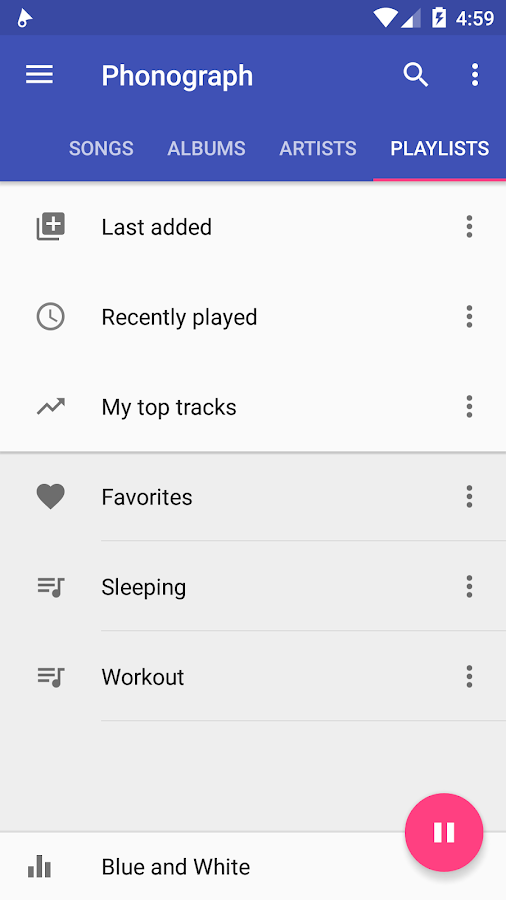
You will see a screen featuring all your music. Tap on the word Songs, Albums or Artists to access your music sorted into those categories. Playlists is an option but you won’t have any set up yet. You can also access these groups by tapping the three-line menu in the top-left corner.
- Build a playlist
Head to the Songs menu and tap on the three-dot menu on the right-hand side of one of your songs. Select the ‘Add to Playlist’ option and that will bring up another menu where you can decide whether to add it to an existing playlist or create a new one.
- Create a playing queue
If you want to play a certain selection of songs but don’t want to create a playlist, you can add tracks to the playing queue. Tap the three-dot menu at the side of the song again and choose ‘Add to Playing queue’. Phonograph will then play that track next.
- Add tags to your music
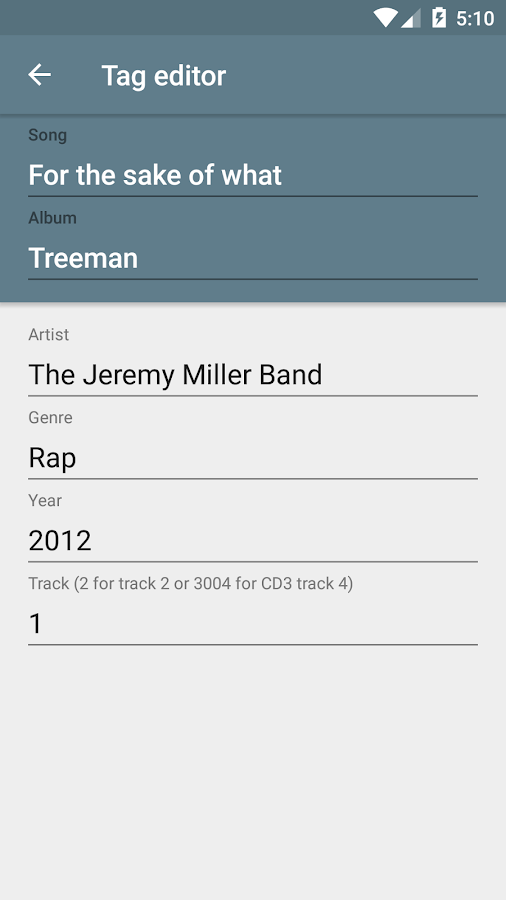
Tap on the three-dot menu next to a song and scroll down to Tag editor. From here you can add in certain tags, such as the song title or the artist, for example. This is especially handy if you’ve downloaded music without that information, as you will probably need it.
Tap the three-dot menu in the top right-hand corner of the app and hit Equalizer. Press the Off button to turn it on and play around with the FX and boost levels. Unfortunately you can’t edit tracks on a song-by-song basis so may have to change it regularly..
- Change the design
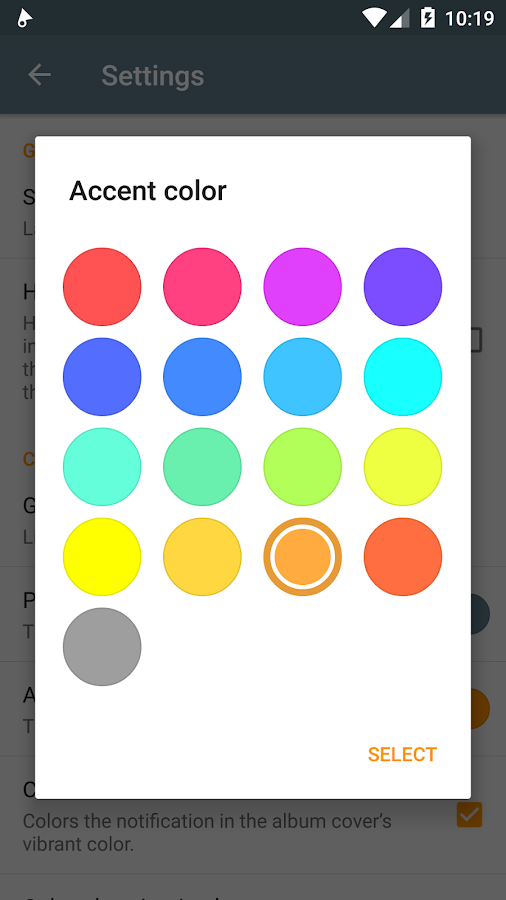
Tap the three-line menu in the top-left corner and then hit Settings. From here you can edit the look and feel of the app. You can change the colour scheme, the transparency of the toolbar and what page the app opens onto. This customization keeps the app fresh.
- View your albums
Tap on the Albums category header. Next, tap the three-dot menu in the top-right corner or the menu button of your phone. This will bring up a menu that has an option called Grid columns. Tap on that to choose how many album covers you want per row.
Enjoy Your Music........"A Day Without Music Is Like A body Without Sole"
Get automatic updates about websites on your lockscreen and notification drawer
Notifications are a quick and easy way of seeing exactly what’s going on in your Android apps. With a recent update to the Chrome app, Google are expanding notifications to the World Wide Web. A new push notification feature will gives online services the power to send alerts to your device about updates to their websites. For example, a shopping website might use notifications to give you a head’s up about any sales that are coming up. If this sounds like a good way to swamp your device with notifications from all corners of the web, don’t worry – this is strictly an opt-in service, so you’ll only receive notifications from the websites that you have explicitly approved. While it’s still early days for browser push notifications, popular websites including eBay, Facebook and Pinterest have announced they’ll be supporting push notifications, so this is the perfect time to get to grips with this new feature.
Steps To Go:-
- Open Your Chrome app
your chrome version must be at least version 42 To Check this notification trick open chrome app on your smart android mobile tap the menu icon in the top-right corner. Select Settings>About Chrome. The version number is under Application version
- Open Site settings
Currently notifications for Chrome are not automatic, so you will need to opt in. To check that notifi cations are enabled for your Android device, open Chrome’s menu and then select Settings>Site settings.
- Enable push notifications
Make sure Notifications is set to Ask first. If it’s set to Blocked, tap this option and push the slider into the on position. Note, if you ever want to disable all website push notifications, return to this screen and push the slider to off.
- Agree to notifications
Once notifications have been enabled, whenever you visit a website that supports them you will be asked if you want to receive updates. Tap Allow and you’ll get notifications on your lockscreen and notification drawer.
- Clear and Reset
To double-check which websites can send push notifications, open Chrome’s menu and select Settings>Site settings>Notifications. You’ll see a list of all your websites. To remove one, tap and select Clear & Reset.
- Add to homescreen
Another Chrome feature to help you keep track of your favourite websites, is creating a shortcut and then placing it on your homescreen. To do this, launch Chrome, go to the website, open Chrome’s menu and select Add to Home screen.
Enjoy it now...
Sendlarger email attachments via Gmail
Lift Gmail’s 5MB limit on email attachments with the Xposed framework
Despite its name, you can use Android’s Gmail app to send and receive emails through non-Gmail addresses. There is one catch though – if you use a third party email provider, Gmail puts a 5MB limit on the size of your email attachments. Typically this meant that if you wanted to send non-Gmail emails with attachments, you had to download an additional email app. However, if you don’t fancy juggling multiple email apps, there is an Xposed module that lifts the 5MB limit. We will show you how to install the Xposed framework and the necessary GMail module. To start, you will need a rooted device with Gmail 5.1 installed. Although this tutorial shows you how to install the Xposed framework on Lollipop, you can do it on earlier versions of Android – you’ll just need to install an earlier version of the Xposed framework.
Steps to go:-
- Install Xposed framework
Go to http://goo.gl/TWSWpv and download the xposed-arm and Xposed Installer files. Boot into the custom recovery, then fl ash xposed-arm by selecting ‘Install from SD card’, going to Downloads and tapping the xposed-arm file.
- Enable Unknown sources
Reboot and check you can install apps from sources other than Google Play by launching your Settings and selecting Security. Ensure Unknown sources is set to ‘on’. Next, use a File Explorer app to go to your Downloads folder.
- Search for module
Find your XposedInstaller fi le and tap it, then follow the instructions to install. Open your app drawer and launch the Xposed Installer. Tap Download, then the magnifying glass icon and start to type ‘GMail App Attachment Size’. When the GMail module appears, tap it.
- Reboot your device
In the toolbar, tap the Modules button and select Framework from the dropdown menu. Give the Reboot button a tap and your device will reboot with the module already active. Test it’s working by launching your Gmail app and trying to send a large attachment.
Get Tempered Glass Screen Protector for YU Yuphoria absolutely free from Amazon
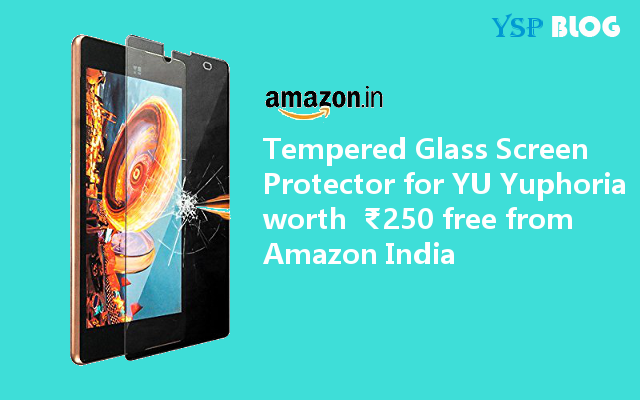
Tempered Glass Screen Protector for YU Yuphoria worth ₹250 free from Amazon
![]() |
| Free Tempered Glass Screen Protector for YU Yuphoria |
Amazon India is offering a one time only promotional offer for YU Yuphoria customers. As a part of the offer every YU Yuphoria customer can claim a Tempered Glass Screen Protector which costs ₹250 for absolutely free. All you need to to do is visit the link given below at the end of this post and apply the following Promo code during checkout.
Tempered Glass Screen Protector coupon code - YUAMZ250
The Coupon will only work for the seller "OKAY ENTERPRISES" so make sure you have selected the mentioned seller before checkout.Tempered Glass Specification:
- YU Screen protector comes with BLC technology, Protecting your eys from soreness
- Resists fingerprint and smudges, crystal clear, scratch proof, delicate touch, shock resistant
- Anti-Shatter silicon film, tempered optical glass, oleophobic coating
- Easy installation and easy to clean
- This screen protector is super slim with material thickness of 0.33mm
Tempered Glass is of ZOOOK brand.
Claim your free Tempered Glass here: Tempered Glass Screen Protector for YU Yuphoria
Alternate Go here and select "OKAY ENTERPRISES": Alternate Link to the Offer
Cyanogen OS 12.1 coming soon to YU Yureka, Yuphoria, Yureka Plus
YU Yureka, Yuphoria and Yureka Plus to get Cyanogen OS 12.1 soon
![]() |
| Cyanogen OS 12.1 on YU Yureka, Yuphoria and Yureka Plus |
YU Yuphoria and Yureka users were waiting anxiously for the latest update from the Cyanogen team namely Cynaogen OS 12.1 based on Android 5.1.1 which was on the queue for a long time, though the wait is now over. Cyanogen team has posted a blog in which they thanked the users for their patience as well as providing details as to what's new in the latest iteration of Cyanogen OS. The post reads
"Thanks for your patience as we begin the rollout of our over-the-air release of Cyanogen OS 12.1. The update begins to roll out to all OnePlus One device owners starting today. The 12.1 update will be coming soon to device owners of the Andromax Q, Yureka, Yureka Plus, and Yuphoria, as each device goes through an approval and certification process. For this release, our main focus was on improving stability and performance across the board, but it doesn’t stop there."
The post then goes on to explain what's new in the upcoming updates.
What’s new in 12.1:
Smarter Screen: LiveDisplay intelligently adjusts your screen based on environmental conditions.
Calendar Together with Email: Enjoy the latest Boxer powered experience where you can seamlessly share your availability and schedule appointments.
Cyanogen Browser: The new Cyanogen browser delivers search results and loads web sites faster and more securely than leading browsers.
Redesigned Launcher: App Drawer and Folders have been redesigned for one-handed use.
Fresh AudioFX: The user interface has been updated for consistency across all devices.
More Playback support: We’ve substantially increased our support of codecs for video and audio playback.
Most notable among these are improvements to the Cyanogen Browser with increased performance, speed, efficiency and security and playback support for numerous codecs to make life easier for those depend solely on their device for video playback.
The post then details each new features in details about which you can read from the source given below.
As mentioned above the update will now go through approval and certification process after which it will be available to general audience. No exact date for the release of Cyanogen OS 12.1 for Yureak or Yuphoria has been mentioned but it should come in pretty soon.
Stay tuned for more updates.
Source: Cyanogen blog
[MT6582][4.4.2] HydrogenOS ROM By Snigdho Hasan
ROM Name- MixedKat V2.7 ROM
Device- Walton Primo GF2
Chipset- MT6582
Device- Walton Primo GF2
Chipset- MT6582
N.B- This ROM is not ported from any device it is modded & customized by Snigdho Hasan (me) & based on GF2's stock ROM...
ROM Features-
- Odex ROM
- Apex Launcher
- Dolby Digital Plus (100% working)
- New Fonts
- New Polycon Icon Pack
- 200 dpi added
- PurePerformanceX Tweaks By Jeeko Added
- Android M Style Framework added (lil bit though)
- Android M Default Wallpaper added
- Lollipop Statusbar
- CM12 dark Boot Animation added
- 100% Bug Free Guarrenty
- Fake Android Version 4.4.4 (Real 4.4.2)
- More Free RAM
- More Battery Backup
- Pre-Rooted
- Latest Kingroot
- HTC Settings Icons
- Modded Framework-res
- Play Music added (From Android M developer preview)
- All Xposed Modules Working
- Gapps Removed
- Best for Gaming
- Built-in Task Killer
- No invalid IMEI
- & a lots more
- Odex ROM
- Apex Launcher
- Dolby Digital Plus (100% working)
- New Fonts
- New Polycon Icon Pack
- 200 dpi added
- PurePerformanceX Tweaks By Jeeko Added
- Android M Style Framework added (lil bit though)
- Android M Default Wallpaper added
- Lollipop Statusbar
- CM12 dark Boot Animation added
- 100% Bug Free Guarrenty
- Fake Android Version 4.4.4 (Real 4.4.2)
- More Free RAM
- More Battery Backup
- Pre-Rooted
- Latest Kingroot
- HTC Settings Icons
- Modded Framework-res
- Play Music added (From Android M developer preview)
- All Xposed Modules Working
- Gapps Removed
- Best for Gaming
- Built-in Task Killer
- No invalid IMEI
- & a lots more
Credits
- Allah SWT
- Polycon Devs
- Jeeko
- Fuad Mahmud Abir
- Kuasha Pranto
- HR Pranto
- Sadman Sakib Alam
- Abdullah Al Akib
- Snigdho Hasan (Me)
- Allah SWT
- Polycon Devs
- Jeeko
- Fuad Mahmud Abir
- Kuasha Pranto
- HR Pranto
- Sadman Sakib Alam
- Abdullah Al Akib
- Snigdho Hasan (Me)
Flashing Procedure
- Boot into recovery (Philz Recommend)
- Wipe Data & Flash the ROM
- Boot into recovery (Philz Recommend)
- Wipe Data & Flash the ROM
الاشتراك في:
الرسائل (Atom)