Turn any device into a007 spy camera

Build your own security camera system using Android devices and the Alfred app


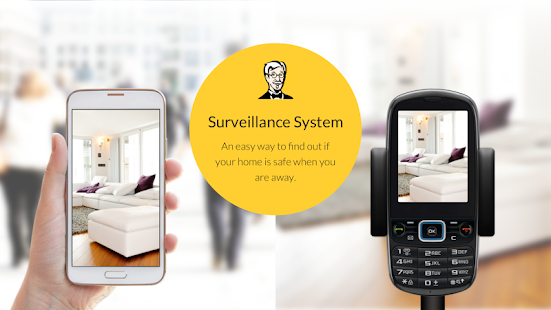
If you want to keep an eye on things at home while you’re at work, there’s a far cheaper and easier alternative to setting up dedicated security cameras. The Alfred app links two Android devices – one that is acting as the camera, the other which is acting as a viewer – via a Google account. This means that you can see the live view from the camera on the other device. The app is completely free (although it is ad-supported) and it’s an ideal way to repurpose an old phone you no longer use. The real beauty is that you can add as many cameras (and viewers) as you like, to create a sophisticated security system tailored to your needs. Most things can be controlled remotely from the viewer and you can even conduct a two-way conversation through the camera device – so you could use it as a baby monitor. What’s more, a motion detection option will send you a notifi cation when triggered and take a series of photos.

1. Camera or viewer


Download the Alfred app onto two devices.select one to be a viewer and the other a camera. log into the same google account on both devices , so they can be connected check you can see the vie from the camera in the viewer.

2. Place the camera


Place your camera device to watch an area. You could put it in a mug to keep it upright, or go to the trouble of hiding it. Note that the camera still works when the device is asleep. Make sure the audio is turned on if you want it.

3. Viewer options


The viewer device has a few options. If the view is oriented wrongly, tap the rotate icon to correct it. The LED light and night vision options can be useful in a darkened room. You can set night vision to Automatic in the camera settings.

4. Look both ways


Tapping the camera arrows icon switches between front and rear cameras, so you could use one device to cover two areas. Holding the mic button lets you talk through the remote device, to speak to a delivery man or deter an intruder.

5. Use motion detection


Motion detection can be activated on the camera or viewer and there are three sensitivity settings. When triggered, it takes photos and sends a notification to the viewer device. Events and photos are stored for seven or 14 days.

6. Add extra cameras


You can add more devices (including iOS ones) to set up a more elaborate system. Tap the cog icon for a camera in the main menu to rename it. You can also set up a ‘trust circle’, to share the camera’s feed with another Google address.

Become a social media superstar - Masterclass

Top tricks to earn your 15 minutes of internet fame 


 Building a social presence takes patience, some careful planning and a constant eye on everything you say. The initial stages can be full of ups and downs, but this is perfectly normal because the web is a big place and only the strongest will prevail. Remember that you are potentially projecting your personality on social networks, podcasts, the web and all sorts of other places, and to build a loyal following takes a lot more work than you may expect. We will reveal how to use tools to increase awareness of what you have to offer, but we cannot teach you how to behave. You need to nurture your profi le and understand what people think of you. If you are able to put yourself in the shoes of others, you will likely be more successful simply because you can see how what you say has an impact. By the end of this tutorial, you will be ready to become a social superstar.

Five ways to ensure social network success

1. Build your identity 

Use a curated selection of popular online services to get your message over. You may want to concentrate on text (blogging), audio (podcasts) and images (Instagram) and nothing else to ensure that your content is focussed and consistent throughout. Adding content to lots of different services will just dilute your message and make you easy to forget.

2. Use the right equipment

A modern Android device is more than capable of letting you capture superb quality photos and videos plus it will also let you write on the move. For some tasks, though, it may be better to pay for dedicated equipment. Podcasting is an example where professional equipment will greatly improve the experience for your listeners.

3. Nurture your audience 

Be realistic about what you write about and consider the possibility that your interests may not match those of many others. A smaller committed audience is much better than a larger disinterested one.

4. Share the workload

 If you fi nd that you are short of time and have found like-minded people online, consider collaborating with others to build an even better quality blog or podcast.

5. Open discussion 

Don’t expect 100% positive feedback. If you are doing this correctly, you will be making people think about what you have to say, which will naturally cause some dissenting voices.

You Must Also Read:- A perfect Twitter profile

Helpful social apps

Streamline and expand your social networking presence with apps

1. Access all your services 
Quick access 

Download Social Media All In One App from Google Play to gain access to countless services from the one place. This will save lots of time if you have accounts with many services

2. Host special 
events Real-time streaming 

Apps like Meerkat let you stream video to your followers. This is a very useful tool for building loyalty once you have followers and can greatly enhance your online presence.

3.Don’t lose an idea
Capture creativity 

Any notes app can be used to ensure that you do not lose a valuable idea. Simply open the app, note it down and use it. You may be surprised at how many ideas come to you once you start.


10 things you didn’t know about phone signal


  • It’s all about frequency
Carriers all have their own bandwidth that they use to carry signal. A carrier such as EE operates a high frequency, resulting in stronger signal outdoors as the wavelengths are bunched closer together. However, once it passes through materials such as brick, higher wavelengths get absorbed by the brick and scattered, making signal indoors much weaker. The reverse is true for lower-frequency bandwidths, which struggle outdoors, so this is something to consider when choosing a network provider

  • Hide-and-seek
Mobile phone masts are not popular with communities, partly due to health concerns but also due to the look of the masts. In order to continue expanding their network coverage, carriers are getting smarter. Mobile signal antennae can now be found hiding inside flagpoles, fake trees and even fake chimney pots.Carriers will often to come to some financial arrangement with both private and public building owners to add a mast to the top of their building.

  • Water is the enemy
Signal arrives at your phone in the form of wavelengths and nothing disrupts them quite like moving water. As the wave enters the water it will get refracted in all different directions. It is estimated that you’ll get no phone signal at all at a a depth of just five centimeters underwater. This might  be academic anyway, as hearing a ringtone or a person’s voice relies on vibrations that would also struggle underwater as they would get absorbed by the liquid and scattered. 

  • Portable masts
For the majority of the year, farms and rural areas don’t need a lot of mobile signal. However, during festival season when thousands of bandwidth hungry music lovers descend on them, there is a much greater demand on the masts. To combat this, carriers will bring temporary masts mounted on vans to the site. Vodafone, for example, took four such vans to last year’s Glastonbury to ensure its users got the best possible signal strength.

  • Volume is key
Places where thousands of people regularly gather, such as sports stadiums and theaters, need to be able to cope with huge numbers of phones trying to access the network all at the same time. To cope with this, carriers will install hubs which can look like fire alarm on the ceiling - in the building that adds many more channels to the area. The signal won’t be particularly strong or quick, but it will make it more likely that you can actually get on your network.

  • Ain’t no mountain high enough
Mobile signal radiates outward so you can comfortably get signal at the top of a mountain as long as you’re within sight of a mast. Areas that are built up, or towns where there are lots of hills struggle to send signal over a wide area because objects get in the way. However, signal can happily travel for a good couple of miles in uninhibited area. Indeed, climbers of Mount Everest can get 4G, 5,200m up at Base Camp.

  • VoLTE is coming
VoLTE stands for Voice over LTE, where you can make voice calls using your phone’s LTE signal, rather than the usual voice channels. This will be very handy for those times you don’t have any normal phone signal but can get online through 3G, 4G or Wi-Fi. This could make calling from rural areas much easier if you have some kind of mobile Wi-Fi device that you can plug in to create that essential Wi-Fi signal. EE has been experimenting with VoLTE since 2014, while Vodafone, Three and O2 are rolling out VoLTE soon.

  • 4G isn’t always best
Even though 4G is generally considered the holy grail of mobile signal, in some scenarios 3G can actually be faster. A weak 4G signal on one carrier, maybe if a mast is a long way away or there are objects obscuring it, will give you slower upload and download speeds than a good 3G signal. Signal strength will always be the most important factor in your mobile speeds so don’t feel you absolutely have to get a 4G phone in order to keep up.

  • Automatic retuning
If your phone is capable of getting 4G it will try to use it wherever possibl it has the potential to be the fastest way of u loading data. However, mode phones are capable of realising if using a 3G connection might be faster, due to a stronger signal. If it detects that is the case, it will automatically drop down to us the 3G signal instead, improving the user experience without them having to touch a single setting.

  • Sharing is caring

The majority of masts belong to just one carrier, which is why you might be experiencing rubbish signal but the person sitting next to you has five bars individual firms are responsible for building and maintaining their towers and they will decide where they want to place them. how ever, some carriers, such as Vodafone and O2, share masts even though they are competing for customers,This increases the network coverage for both so they can claim better coverage than other rivals.


Chromebook supertest


Which of the lightweight laptops running Google Chrome will be the best?

 The first Chromebook launched in 2011, a joint venture between Samsung, Acer and Google. It was a lightweight device that ran Google’s Chrome operating system and stored the majority of its data, files and documents in the cloud, rather than on an internal hard drive. This model proved to be very popular and very soon other manufacturers started making their own Chromebooks. The fact that the laptops didn’t need much internal memory or storage made them weigh and cost less and the cloud storage meant that losing your computer no longer meant losing all your important documents. Another key feature of the Chromebook was fast loading times. As they have barely anything to load up you can go to web browsing in under ten seconds, which makes nipping online a breeze. We’ve got together four of the latest Chromebooks to find out which is quickest, easiest to use and looks the best. The four we’ve tested are the Asus C300, Lenovo N20p, Acer 15 C910 and Google’s very own Pixel (2015). As they all run on the same operating system, it will be a straight test of their looks and the quality of the user experience that they deliver.

1. Asus Chromebook C300


The long-life Chromebook that will ensure you keep going all day
»Processor .........................Intel Bay Trail-M Celaron N2830 2.16GHz dual-core
»Memory ...........................2GB DDR3L 1600MHz SDRAM
»Dimensions ......................339 x 230 x 20mm
»Weight .............................1.4kg
»Display size .....................13.3-inch (117ppi)
»Display resolution ...........1366 x 768 pixels
»Camera ............................HD web camera
»Connectivity ...................Wi-Fi, Bluetooth 4.0
»Ports.................................1 x USB 2.0, 1 x USB 3.0, 1 x HDMI, SD card slot

The C300 is the largest of Asus’ limited range of Chromebooks. It sports a 13.3-inch screen and weighs 1.4kg, which is very reasonable for its size. It definitely doesn’t feel heavy or bulky when you’re carrying it around. It has got a very clean and simple design, although the polycarbonate case does feel a little bit scratchy and collects fingerprints quickly. Once you’ve opened it up it’s got an attractive brushed aluminium look and sits at just the right height for you to type away without finding your wrists resting painfully on the fairly sharp edge. The trackpad is the largest in its class and it is very big, making pinch zooming very easy to control. It feels secure and well made, even if there may have been a little bit of skimping on materials. The keyboard is a generous size and, although it took a little while to get used to the keys all being slightly more to the right than we’re used to, the keys were responsive and hit the sweet spot between firmness and sensitivity. It runs off an Intel Celeron 2.16GHz dual-core processor and an Intel Celeron 1.83GHz quad-core processor. In general these are speedy enough to deal with everyday Chromebook tasks, such as writing documents, playing videos and surfi ng the web. Things do become a little jerky and laggy when playing graphics-rich games so if you are a hardcore gamer, this might not be the best Chromebook for you. The battery life is the C300’s big sell, promising that it can deliver up to ten hours of use. While performing standard browsing tasks it looks like it could make good on that promise, so as a workstation it would be a very useful machine for a working day or taking with you on a long-distance journey. Things weren’t so impressive away from browsing – gaming did chew quite dramatically into the battery life, so it is much better suited for professional use. The video camera is quite sharp, although it did struggle when up against a backlight, so if you enjoy Skype video calls, you’ll need to think twice about how the Chromebook is positioned.

Head-to-Head

  •  Design

The C300 has nice, rounded, curved edges all around, making it a very comfortable machine to carry and use. The brushed look is polarising, however, and it does feel extremely plasticky. It is quite slim at just 20mm thick.


  • Performance

The dual-core and quad-core processors zip through basic tasks but aren’t quite up to anything too intense. Gamers will not appreciate this, but the limited performance is one of the things that will keep the C300 going for 10 hours.


  • Battery life 
The battery life is the big selling point on the C300. Asus claims that it can last 10 hours and it certainly does last very well in normal, everyday tasks, but when the processors are working overtime the battery life suffers quite a lot.

  • Usability 

This is a really well balanced machine. It is a nice height to work at and the keyboard has accurate keys that you have to press firmly, but they don’t feel sticky. The trackpad is nice and large, giving users a big range of movement.


2. Lenovo N20p Chromebook 


The Chromebook that is tiny but mighty
Lenovo’s ThinkPad range is very well regarded in the world of the PC, so it comes as little surprise that the Chinese company is turning its attention to Chromebooks. The N20p is Lenovo’s 11-inch offering, providing a compact Chromebook option at a low price point. The N20p’s big selling point is the fact that it’s hinged, so you can fold it right back so the keyboard acts as a stand. This turns the Chromebook, which has a touchscreen, into a upturned tablet, making it perfect for watching films. We found that it did feel a little unstable when tapping on it in this mode, but if you just want to use it for viewing, it is ideal. Although the 1366 x 768 screen isn’t razor sharp, it still plays videos with a high level of clarity and the processors are capable of keeping up with the frame rate. It is impressively bright and colourful, managing to provide the user with a very positive experience. If you can manage to ignore the overly shiny Lenovo logo on the front, this is a very pleasingly designed laptop. The silver is nice and resistant to fingerprints and it has a mixture of straight edges and curves that complement each other well. It is very smooth all over and the inside has a matt black finish, which works well. Despite its size it weighs a fairly hefty 1.4kg. This is comparable to the other models, but considering it’s the smallest of the bunch that is something of a disappointment. The bezels around the edge of the screen are very large, cutting quite dramatically into the screen size. In a larger machine this wouldn’t be so bad but as it’s already a small model, this could present an issue for some users. The keys are very fl at and light, which does occasionally lead to a missed letter when typing but in general it is a well laid out and spaced keyboard. The trackpad is very secure in its housing and is responsive to scrolling. The webcam isn’t great at dealing with low light conditions but is nice and sharp, capable of producing high-quality images and video.

Technical specs

»Processor ................................Intel Celeron 2.16GHz quad-core
»Memory ..................................4GB DDR3L
»Dimensions ............................ 295 x 212 x 17.9mm
»Weight ....................................1.4kg
»Display size ............................11.5-inch
»Display resolution ...................1366 x 768
»Camera ....................................720p
»Connectivity .......................... Wi-Fi , Bluetooth 4.0
»Ports.........................................1 x USB 2.0, 1 x USB 3.0, 1 x micro HDMI, SD card slot


3. Acer Chromebook 15 C910


The C910 is the size of a laptop, but is bigger really better?

The C910 bucks the trend of Chromebooks rather by being a very big machine. The screen is a massive 15.6-inches, and the wide bezels make it even wider. It is unfortunately lacking somewhat in terms of style. The backing is a scratchy, textured plastic that put us in mind of those pull-down blinds for car windows. It is certainly unique but it failed to appeal to us. Opening up the C910 reveals two large speakers either side of the keyboard, which is great for listening to audio and fills the gaps either side of the keyboard nicely. The keyboard is widely spaced so you have plenty of freedom while typing, and helps ensure typing accuracy. The trackpad is an absolute magnet for fingerprints, though, and does not sit comfortably at all. Even a slight press looks like you’re going to push it right out of its housing and it doesn’t seem to quite fi t, sporting a huge gap along the bottom and right-hand side. It is the heaviest on  test at 2.2kg, which is getting far away from normal Chromebook territory and towards notebook and netbook levels. The screen resolution is a very low 100ppi and this is clearly noticeable when viewing video and images, although it doesn’t spoil basic browsing. The Intel Celaron 1.5GHz dual-core processor isn’t quite up to the task of playing games or video, occasionally freezing or lagging mid-action. The viewing angles aren’t great on the horizontal level, but you do get a high range of viewing on the vertical plane, which is handy. The 3,270mAh battery has a life of around nine hours, which is one of the main positives for this machine as it could keep you powered through an entire standard work day. The camera for web chats is very good, producing a clear video that has a lot of detail. Even when backlit, faces can be seen so Acer has done well with its camera technology.

Technical specs

»Processor ..........................Intel i3 1.5GHz dual-core
»Memory ............................16GB storage / 4GB RAM
»Dimensions .......................383 x 245 x 24mm
»Weight ...............................2.2kg
»Display size .......................15.6-inch
»Display resolution .............1366 x 768 (100ppi)
»Camera ..............................720p webcam
»Connectivity ......................Wi-Fi, Bluetooth 4.0
»Ports....................................1 x USB 2.0, 1 x USB 3.0, 1 x HDMI, SD card slot

4. Chromebook Pixel (2015)


Is Google’s own Chromebook worth the money?
As the developers of Chrome, it stands to reason that Google should produce its own Chromebook and the Pixel has long been held as the standard bearer for all Chromebooks. That still appears to be the case as the latest Pixel has an awful lot going for it. The colour scheme is all silver and it is very distinctive with straight lines all round and a very fl at finish, setting it apart from the others. This design could put some people off as it is quite metallic and rigid but it certainly looks like a premium machine. It is quite weighty at 1.5kg but that is mostly down to the metal casing that gives it that smooth, premium feel. The keyboard is edge-to-edge and very nicely spaced so you are unlikely to accidentally tap more than one key. They are very fl at so don’t take a lot of pressing, which is a great advantage during prolonged use. Boot up time is lightning quick, which is excellent as that means you get to see the stunning screen as quickly as possible. It really is absolutely glorious. It is superbly sharp, picking out tiny detail in everything with clarity and precision. The resolution is 2560 x 1700 and on the 12.85-inch display that translates to a pixel density of 239ppi, way better than its competitors. Under the hood is an Intel Core i7 2.4GHz processor that deals with pretty much everything you throw at it with ease. It plays videos and games without any visible lag and navigating around web pages happens instantaneously. It ships with an excellent 16GB of RAM and 64GB storage, plus has a microSD slot. It’s camera has a wide angle lens that helps get more people in shot if you are trying to take a group picture.

Technical specs

»Processor ................................Intel Core i5, 2.2GHz or Intel Core i7, 2.4GHz
»Memory ..................................8GB or 16GB
»Dimensions ............................298 x 224 x 15.3mm
»Weight ....................................1.5kg
»Display size ............................12.85-inch
»Display resolution ..................2560 x 1700 (239ppi)
»Camera ...................................720p HD
»Connectivity ...........................Wi-Fi, Bluetooth 4.0
»Ports.........................................2x USB 3.0, SD card reader, 2 x USB Type-C charging


The winner... Chromebook Pixel (2015)


You’re paying a lot of money but there is no way we could say anything other than the Chromebook Pixel is the best device out there. The screen is streets ahead, the processor is far and away the most powerful on the market and it looks great. The Type-C charging is another huge advantage so it ticks every box in terms of looks, practicality, battery life and quality of use. 

The only slight faults are with the weight and price, but if you’re after a brilliant Chromebook that actually offers some storage capabilities as well, then this has to be the one you choose. It is followed by the Lenovo N20p. This performed very well in tests and does everything a Chromebook should. It is small, portable and works quickly and quietly. We enjoyed using the touchscreen and the ability to turn it into a tablet is a great touch. If you want a quality Chromebook that doesn’t cost an arm and a leg, this should certainly be a contender.  

The Asus Chromebook C300 is next up. It is a very good machine, and was generally up to task but fell short a little bit in terms of the processing power and the general look and feel of it. Finally, the Acer Chromebook 15 brings up the rear. It just felt too big, too heavy and too slow to be a quality Chromebook and we reckon there are much better models out there for the price. It could be a good option if you want a laptop-style cloud-based computer, though.
YU may launch next product on Snapdeal, Rahul Sharma teases new device and partnership on Twitter - #FutureIsYU

Rahul Sharma and Kunal Bahl teases new YU product and future partnership on Twitter


Both YU and Snapdeal have made quite a name for themselves in a short amount of time in their respective department. YU has already sold around a million mobile phones and Snapdeal has managed fresh funding and is on a kind of acquisition spree recently with FreeCharge, Reduce Data etc. So it kind of makes sense for the Indian startups to join hands together and if today's conversation between CEOs of YU and Snapdeal is any indication it might be sooner than later.

Rahul Sharma of YU and Kunal Bahl of Snapdeal exchanged tweets today hinting at the possibility that a partnership between these two is among the works. The tweets indicate Kunal Bahl has seen the next product and is quite excited by it. He also goes on to say that "let's shake the industry" after which Rahul Sharma replied in affirmative. Hashtag #FutureIsYU was used throughout the conversation. Check out the entire conversation below:

Twitter conversation between Rahul Sharma and Kunal Bahl
Rahul Sharma and Kunal Bahl teases partnership
According to the info we have received there may be some huge announcement coming our way on 8th September, 2015 which will involve YU's next product and it's partnership with Sanpdeal. Nothing else is known about the announcement as of yet. Stay connected with us to find out more.

Overheating Fix for YU Yureka and Yureka Plus


Testing Thermal Fix for YUREKA & YUREKA PLUS!

Yureka and Yureka Plus Overheating Solution
Overheating fix for Yureka and Yureka Plus

Overheating has been a issue for majority of Yureka, Yuphoria users since the early days of the device. A vast majority of users have complained regarding the same. It seems like YU team has been working towards solving the overheating issue in Yureka and Yureka. According to a post in the official YU forums, YU team has asked users to test the overheating patch in Yureka and Yureka Plus. The post by community manager DoomLord read
"hi everyone,
Our team has been working on fix for thermal management in YUREKA & YUREKA PLUS, we need your help in quickly testing it out!
If you're a current Yureka or Yureka Plus users you can also participate in the test and help YU team in building a formidable patch for the overheating issue.

Steps for participate in Yureka, Yureka Plus Overheating patch

Requirements:
  • YUREKA / YUREKA PLUS device
  • Unlocked bootloader
  • Custom recovery
  • preferably on stock ROM & stock kernel

How to install:
  • Download the attached file
  • Save it on SDCARD
  • Reboot device into custom recovery
  • flash file via recovery
  • reboot into OS
 YU team has also asked for your feedback to better improve the fix.

"Please test out the fix and give your feedback on this thread! While reporting please give details of the device you have tested it on (YUREKA or YUREKA PLUS), OS software version; and a proper before and after comparison. Also please mention the tests that you have done (heavy gaming / calling / regular usage / etc)."

So, if you're also facing the issue of overheating on your Yureka or Yureka Plus feel free to test the patch and let the tea know.

Source

10 Ways how Google will change the world

1. They’re building a fleet of internet balloons


Two thirds of the world doesn’t have internet access. Project Loon is designed to connect remote places using a fleet of helium balloons that circle Earth broadcasting LTE bandwidth. Not just a ‘pie in the sky’ concept, working balloons have been tested in New Zealand and
Brazil, lasting over a 100 days in the air, providing 10 Mbps connectivity with 500metre accuracy. However, this project is still considered a pilot with no formal date announced for worldwide roll out.

2. Minority Report gesture controls are coming soon


A recent announcement revealed that Google has developed a radar emitter the size of a microSD card that can detect your hand movements. Codenamed Project Soli, the microchip is designed to be used in wearables and will recognise and respond to hand gestures, such as cranking an imaginary volume dial up or down, or pressing a button. Without the need for physical controls, smartwatches and smart home devices can be sleeker and more stylish.

3. Improving city living 


Google are funding an institute called Side Walk Labs, which aims to improve urban life. Working in New York, this will include tackling issues such as making transport more efficient, lowering the cost of living and reducing energy usage. The institute is led by Dan Doctoroff, who worked post-9/11 as Deputy Mayor of Economic Development and Rebuilding for the City of New York before becoming CEO of Bloomberg financial services.


4. 3D mapping devices will help the blind to ‘see’


Available to buy now, Project Tango’s Development Kit includes a smartphone and tablet equipped with cameras and sensors to understand space and motion. These gadgets can then build 3D maps that have a variety of world-changing uses. First and foremost, they could be used in wearables that help the visually impaired ‘see’ in  front of them and warn them about obstacles in their paths. The 3D maps can also be used to steer robots and develop augmented reality apps. 


5. Transforming the US wireless industry


Not content to be the world’s most popular phone software provider, Google wants to be the most affordable mobile network provider in the US as well. Basic phone service will cost $20 a month, but customers will get money back depending on how much data they use. Leasing cellular tower usage from established networks Sprint and T-Mobile, Project Fi also promises that subscribers will connect to the fastest network available.


6. Self-assembly smartphones


Rather than buying a new phone every year, imagine upgrading the one you already have with a faster processor and bigger memory, or customizing your phone with a longer-lasting battery and better camera when going on holiday.This might sound like science fiction, but google have already shown off working models of this so-called ‘modular phone’ that they codename project Ara. Goolge are also set to being their first real world trial later this year, selling project Ara phones exclusively in Puerto Rico.


7. Data-scrambling SD cards


While every new Nexus launch confirms the Mountain View’s preference for cloud computing,Google hasn't forgotten about expandable storage. Just as Project Abacus is trying to revolutionize how we verify our identity, another project codenamed Vault aims to protect our privacy via the microSD slot. They’ve developed a new microSD smart card that scrambles any sensitive information stored on the device. With a built-in microprocessor and NFC chip, the card can also communicate with other devices.


8. Touch-sensitive denim


Soon you will be able to dial a call on your phone with just a stroke of your sleeve. Project Jacquard has woven touchscreen controls into fabric using conductive threads, so that it can interact with your phone and other device Google have worked with Levi Strauss and other partners to create so-called ‘Jacquard yarn’ that can be created on an industrial scale and stitched together by a tailor with only a basic understanding of how the tech works.


9. Road safe self-driving cars


Google’s autonomous cars have driven 1.7 million miles in the last six years. They have only been involved in 11 accidents, but ‘not once was the self-driving car the cause of the accident,’ said Chris Urmson, director of the project. Some occurred while humans were driving (humans drove the cars an extra 700,000 miles), while the rest were caused by other drivers rear-ending the )Google-mobiles. Sadly, there is no sign of the self-driving cars going on sale any time soon.

10. Killing off passwords

A major feature of Android Lollipop was smart locking, which tried to replace your lockscreen PIN code with facial recognition and using GPS to set up trusted locations. Project Abacus takes this concept a step further, learning to recognise the unique way a user holds their phone or taps on a keyboard to verify their identity. Based on trials using 40TB of data at 33 different US universities, Google says this technology is ten times more secure than using fingerprint scanner.